Personal Finance Tracker
Personal asset management and investment portfolio tracking
The Problem
Scattered Accounts
Financial data was spread across 7 different Korean banks and card companies, each with its own portal, file format (XLSX, HTML-disguised XLS, legacy OLE), and export process. Getting a complete picture required logging into every service individually.
No Unified View
Without a single dashboard combining all accounts, it was impossible to see total spending, identify cross-card patterns, or understand the full financial picture. Each bank's own analytics only showed its own transactions.
Manual Tracking
Categorizing expenses required manual effort — reviewing each transaction and assigning it to a spending category. Without automation, most people gave up on detailed tracking within weeks of starting.
Logging into 7 different bank portals to check spending
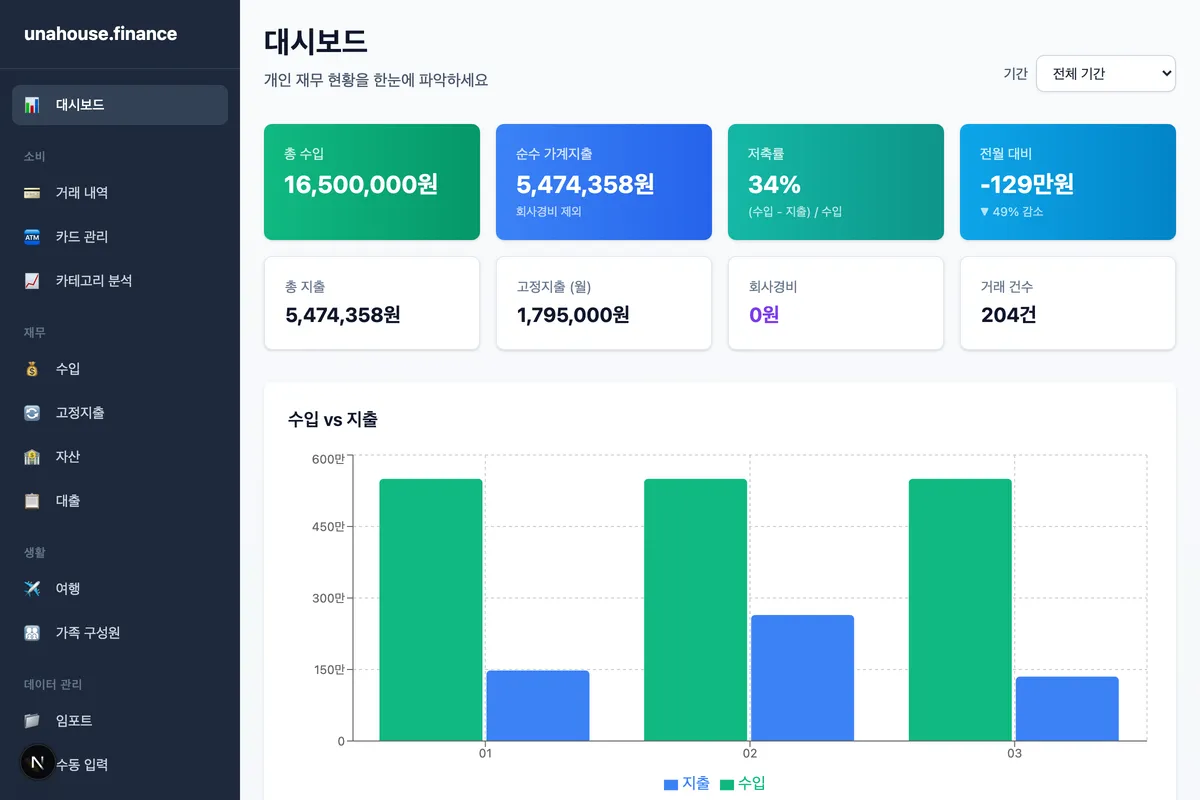
Single unified dashboard with all bank/card transactions aggregated
Manual transaction categorization that nobody maintained
Keyword-based auto-classification of merchants into spending categories
Incompatible file formats across different card companies
7 parsers handling 3 file format families with auto-detection by filename
Approach
Universal Parser + Auto-Classification
The core challenge is that Korean banks export data in wildly different formats — standard XLSX, HTML files disguised as .xls, and legacy OLE compound documents. The platform handles this with a bank-specific parser registry that auto-detects the card company from the filename pattern and routes the file to the correct parser. Once parsed into a normalized schema, a keyword-based classification engine maps merchant names to spending categories using configurable rule sets. All data lands in a local SQLite database (Drizzle ORM), keeping sensitive financial data on-device with no cloud dependency. The Next.js frontend renders interactive dashboards with monthly and card-wise spending breakdowns.
BDD Pipeline Flow
Key Features
Account Aggregation
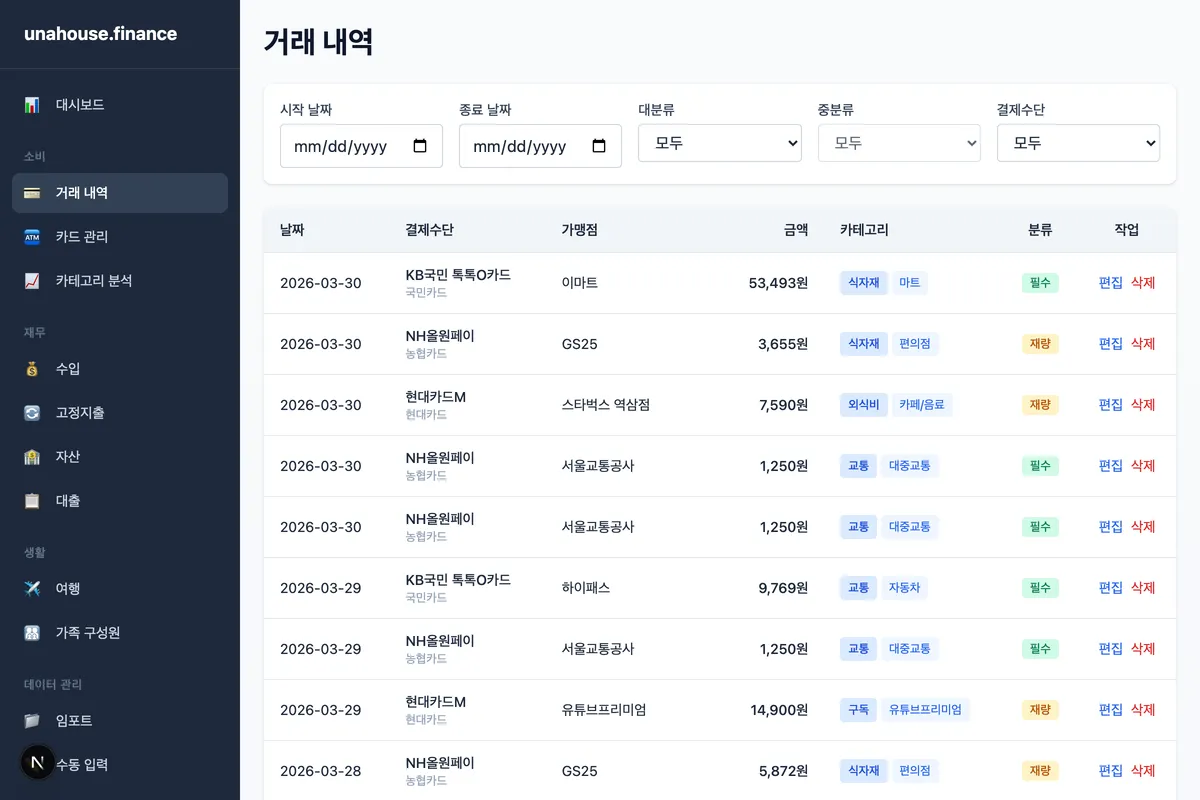
Import credit card statements from 7 Korean banks with automatic format detection. Supports XLSX, HTML-disguised XLS, and legacy OLE formats. Auto-detects card company from filename and routes to the correct parser for seamless data ingestion.
Card Management
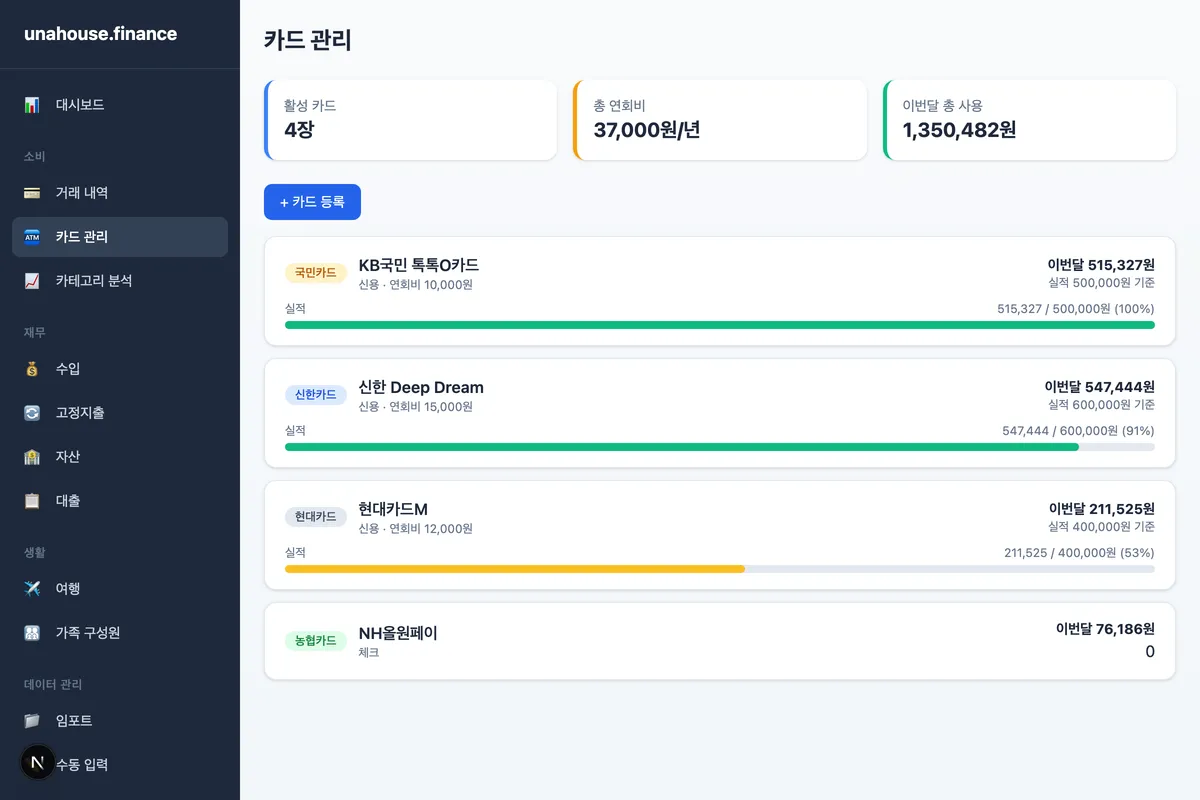
Register and manage credit/debit cards from 7 Korean banks. Track monthly usage per card, set spending targets, and monitor annual fees. Each transaction is automatically linked to its source card.
Expense Analytics
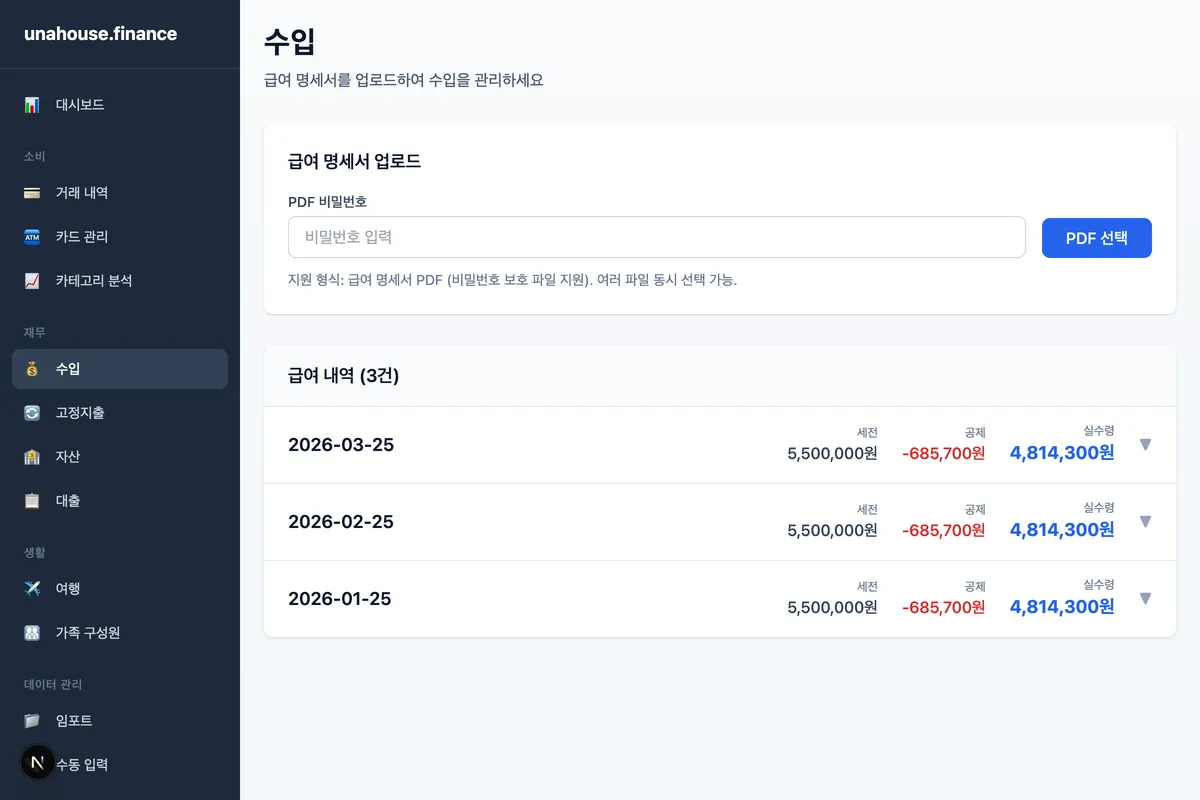
Keyword-based auto-classification maps merchants to spending categories. Dashboard shows monthly spending trends, category breakdowns, card-wise distribution, and necessity analysis with drill-down capability.
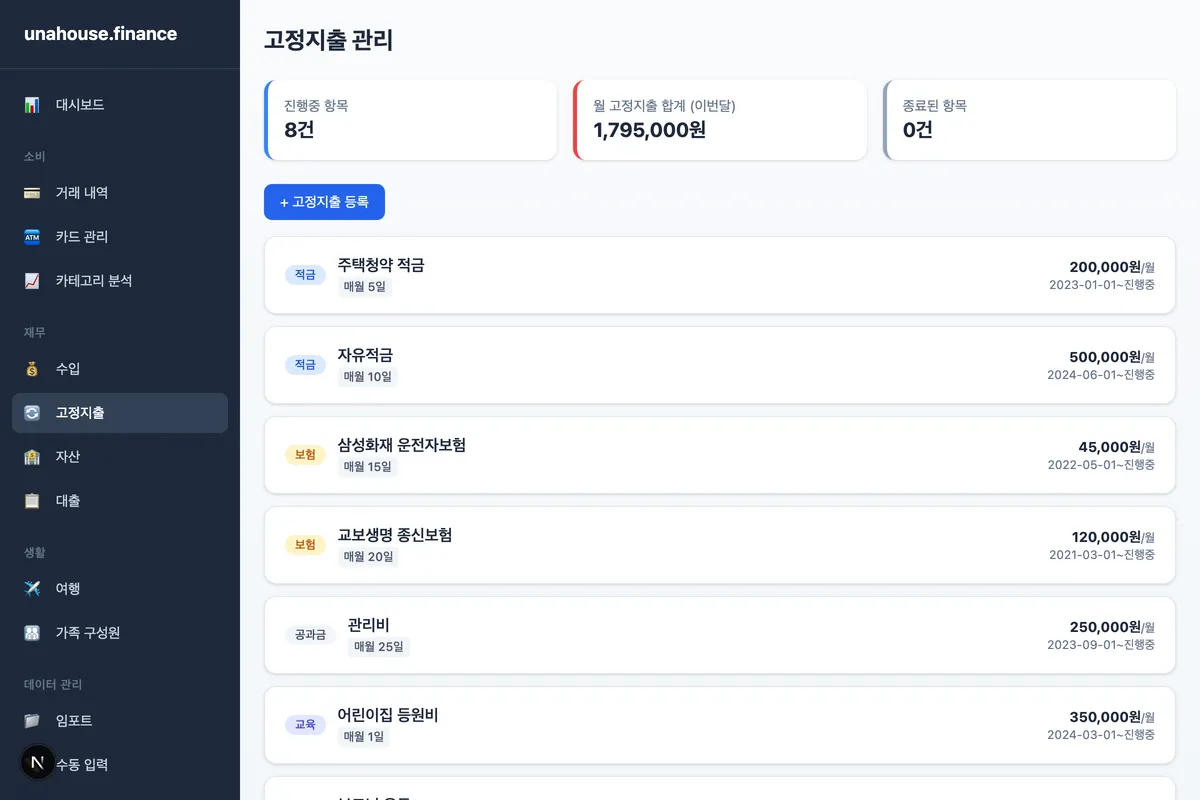
Fixed Expenses & Loans
Track recurring expenses (savings, insurance, utilities, education) with monthly equivalent calculations. Monitor loan status, repayment schedules, and link repayments to actual transactions for complete financial visibility.
Architecture
Results
Korean bank statement parsers with auto-detection
XLSX, HTML-disguised XLS, and legacy OLE support
Keyword-based merchant to category mapping
All financial data stays on-device in SQLite